Committees
Managing your group.
This feature is available for the premium version only.
Every music group has a committee or executive that manages the group, books the gigs and makes the bigger decisions for the group. They often meet monthly or quarterly to discuss these important matters.
Muzodo enables you to set up committee meetings and email the committee members separately from the group. Committee members do not have to be administrators.
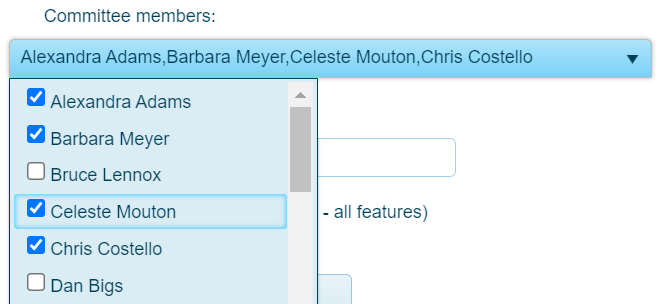
Any one or more of your permanent members can be a committee member and you can elect or 'demote' them at any time. To change the committee of your group:
- Open the Groups tab
- Click on your group name
- Edit the committee members list
- Click Update
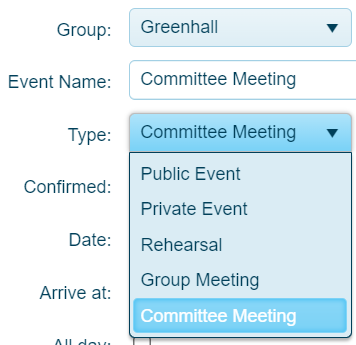
To create a committee meeting, create an event, select your group and then 'Committee Meeting' as the event type. Your committee members will be automatically selected. Your can also adjust who is invited, if necessary.
Note: Only permanent members can be on the committee. Committees are also limited to 20 members.
Non-playing committee members
If you have a committee member who does not play or sing in the group, you can just get them to respond to commitee meetings only. To do this, set their member status to 'Info only'. This way they'll be informed of the group's activity and won't need to provide a response to group events. However, if you invite them to a 'Committee Meeting', they'll be asked to respond.
See: Updating a group.